
TL;DR
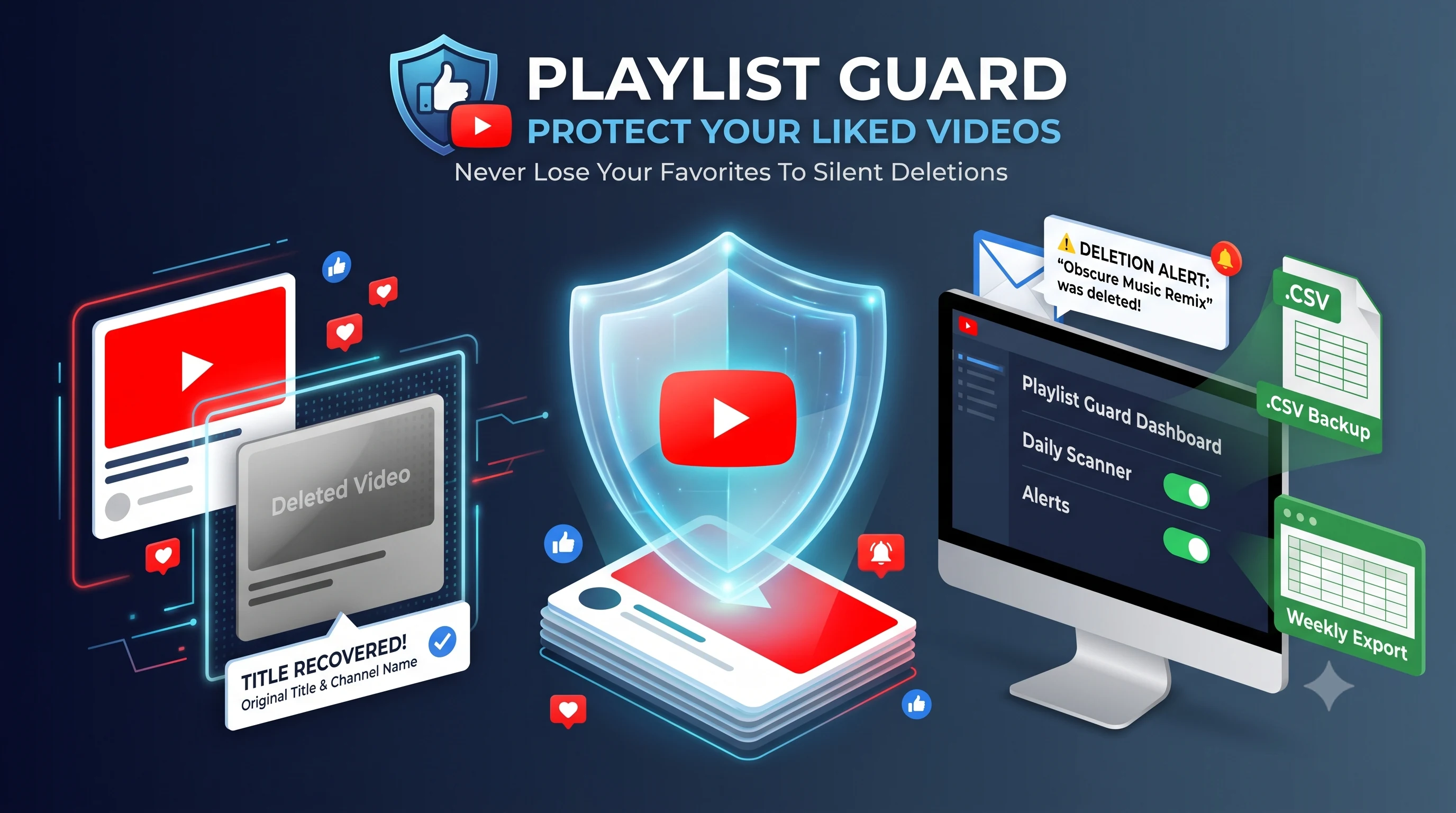
YouTube treats your "Liked Videos" as a private playlist with a 5,000-video display cap. When videos get deleted or turned private, YouTube wipes their titles and leaves blank gray boxes. To keep your collection safe, you can set up automated monitoring to get email alerts with the exact video title whenever something disappears, receive periodic spreadsheet exports in your inbox, and download clean backups whenever you want.
Get Playlist GuardFor most people who use YouTube daily, the thumbs-up button is not just a way to say thanks to a creator. It is a bookmarking habit built over five, ten, or even fifteen years.
Think about what is actually sitting inside your Liked Videos list right now: obscure music remixes, step-by-step repair guides you might need again, recipe tutorials, documentaries you plan to rewatch, and video essays you loved years ago. It is essentially an accidental diary of your interests.
The problem is that YouTube never designed the Liked Videos list to work as a permanent, reliable archive. If you rely on it without a backup plan, you are almost certainly losing videos without even knowing it.
The hidden flaws with YouTube's Liked Videos list
On the surface, clicking like feels permanent. But behind the scenes, your liked collection suffers from three serious design limits that cause things to slip away.
1. The 5,000-video display ceiling
YouTube's web and mobile interfaces will only show up to 5,000 videos in your Liked Videos playlist. If you have been on the platform for years and clicked like 7,000 times, those older 2,000 videos are not necessarily wiped from your Google history, but you cannot browse or search them in the playlist view. As you like new uploads, older ones fall off the bottom of the list into a blind spot.
2. Silent deletions and the gray box
Every single week, videos vanish from YouTube. A creator might turn their old videos to private, an independent artist's music video might get taken down due to a copyright claim, or an entire channel might get closed down.
When that happens to a video you liked, YouTube does not notify you. Instead, you open your list and find a blank gray box that simply says "Deleted video" or "[Private video]". YouTube scrubs the title, the channel name, and the thumbnail. You are left staring at an empty spot, wondering what song or tutorial used to be there.
3. Zero change tracking
YouTube gives you no activity feed for your likes. If your playlist had 842 videos last month and now shows 837, YouTube will not tell you which five are missing, when they were removed, or who created them.
Why manual backups usually do not help
When people realize their liked list is slowly disappearing, they usually try a couple of common workarounds, but both have big drawbacks.
The problem with Google Takeout
Google offers an official export tool called Google Takeout. While it sounds good in theory, in practice it is awkward to rely on:
- It is purely manual: You have to remember to request an archive yourself every week or month.
- It takes hours or days: Google queues your archive, packs it into compressed zip archives, and sends a download link much later.
- It cannot restore deleted info: If a video was deleted before you ran your Takeout export, Google simply writes "Deleted video" in the file. The title is gone forever.
- The files are messy: You end up with raw JSON or CSV files that are frustrating to search through quickly.
The problem with browser extensions
Some people install browser extensions that claim to save playlists. But extensions only run when your browser is open on your desktop computer, they frequently stop working whenever YouTube tweaks its website code, and giving third-party extensions full access to your Google tabs can be a security concern.
What you actually need to protect your liked videos
To keep your library safe without spending hours babysitting spreadsheets, your setup needs four practical features:
- Regular background checks: A system that scans your liked collection on a regular schedule (daily, weekly, or monthly) without requiring you to keep your computer turned on.
- Immediate deletion alerts: When a video goes missing, you need an email right away showing the original video title, the channel name, the duration, and the original link so you can find a copy while the memory is fresh.
- Scheduled inbox exports: A clean spreadsheet (Excel or CSV) sent straight to your email inbox on a recurring basis. That way, you always have a fresh offline backup sitting safely in your inbox without doing any manual work.
- Instant on-demand exports: The ability to click a button and download your entire current list whenever you want to reorganize your collection.
How to monitor and backup your Liked Videos with Playlist Guard
We built Playlist Guard to solve these exact problems. It runs automatically in the cloud, keeps track of your collections, and makes sure you never lose track of a favorite video again.
Because YouTube treats your Liked Videos as a private personal playlist (with the system code LL), public scraper tools cannot read it. Playlist Guard uses official Google OAuth permissions so it can safely read your collection without making anything public.
Here is how to set it up in under two minutes:
Step 1: Connect your YouTube account
Log in to your Playlist Guard account and head to the dashboard. Click on Connect YouTube Account. This opens Google's secure authorization screen, which asks for read-only permission to inspect your playlists. Your credentials stay secure with Google, and Playlist Guard only reads the metadata it needs to watch your list.
Step 2: Choose "Liked Videos" from your dashboard
In the playlist creation modal, select Liked Videos from the collection type menu. You do not need to hunt down a URL or playlist ID; the app detects your account's liked list automatically.
Step 3: Pick your monitoring frequency
Choose how often you want Playlist Guard to check your liked videos:
- Daily: Great if you like videos every day and want instant alerts the moment an upload is removed.
- Weekly: A steady, popular balance for general viewers.
- Bi-weekly or Monthly: Good for casual viewers who want periodic check-ins.
Step 4: Turn on missing alerts and scheduled email exports
Check the box for Notify on Missing Videos. This ensures that the moment a video becomes unavailable, you get an email alert containing the video title and creator.
Next, toggle on Scheduled Data Export to Email and select your preferred frequency (such as weekly or monthly). Every cycle, Playlist Guard will automatically compile your full liked list into a clean file and send it directly to your email inbox. You now have an automatic paper trail that runs completely hands-free.
What to do when you get an alert that a video was deleted
When Playlist Guard spots a missing video in your liked list, you will get an email with the exact details: the title, the channel name, how long the video was, and the date it was uploaded.
With that information in hand, you have a few easy ways to find what you lost:
- Search the title on YouTube or Google: Many popular videos, tutorials, and music mixes are re-uploaded by other channels or archived under slightly different titles.
- Check the Wayback Machine: Take the original YouTube URL provided in your alert and paste it into archive.org. In many cases, you can view the archived page or even play the video directly from the archive.
- Find the song or audio on other platforms: If it was a music track that got taken down from YouTube, knowing the artist and track title lets you find it on Spotify, Apple Music, Bandcamp, or SoundCloud in seconds.
Without the title, you are left with an empty gray box and no clues. With the title preserved in your inbox, you can almost always replace what disappeared.
Keep your personal library safe
Your YouTube liked list represents years of your time, interests, and discoveries. Leaving it unmonitored means watching it quietly shrink over time as videos get deleted in the background.
Setting up continuous monitoring and periodic inbox backups takes less than two minutes, and it gives you complete peace of mind that your collection is documented and protected. Get started with Playlist Guard today and make sure your favorite videos stay with you for good.